

Train a two-stage model
Some inspections need two decisions: where the object is, and what state it is in. A two-stage model makes them one after the other: a detector finds each object and a classifier looks at it closely. In this guide you train one on jars: the detector finds each jar and the classifier says whether it is ok or broken.
What you will learn
- When a two-stage model helps
- How to set up its two stages
- How to read each stage in the results
Before you start
You need an object detection dataset (for «Det+Class») or an image segmentation dataset (for «Seg+Class») whose tags tell the states apart, here «ok» and «broken». Each tag needs at least 10 annotations. Training spends tokens.
1. Open the training setup
Open the dataset, go to the «Models» tab, click «Train a new model» and choose «Production training». The platform suggests validating the boxes first; click «Continue».
2. Name the model
Type a name for the model in the first card: letters, numbers and underscores. It proposes the name of the dataset.
3. Choose «Det+Class»
Scroll to «Training configuration» and open «Task». An object detection dataset offers «Detection», one model that finds and names the objects, and «Det+Class», two models in a row; an image segmentation dataset offers «Seg+Class» in the same way.
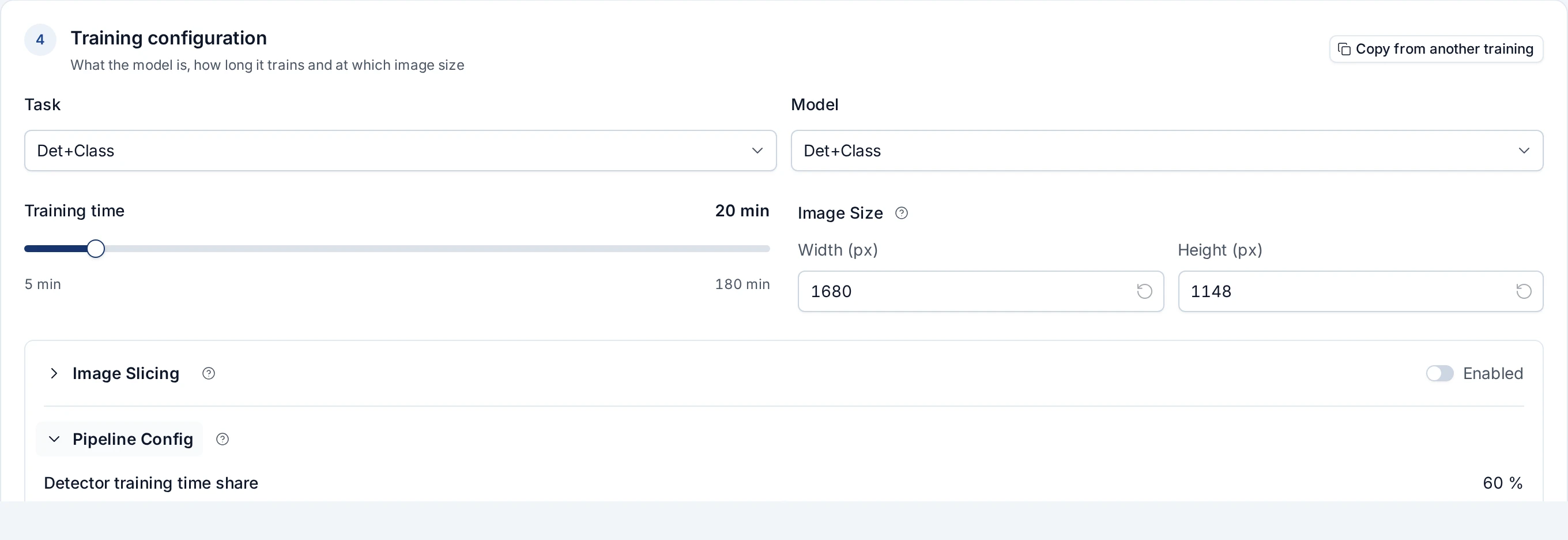
4. Set the training time
The training time covers both stages. Here it is the shortest, 5 minutes; a real inspection needs more. «Detector training time share», in «Pipeline Config», sets how much of it goes to the first stage.
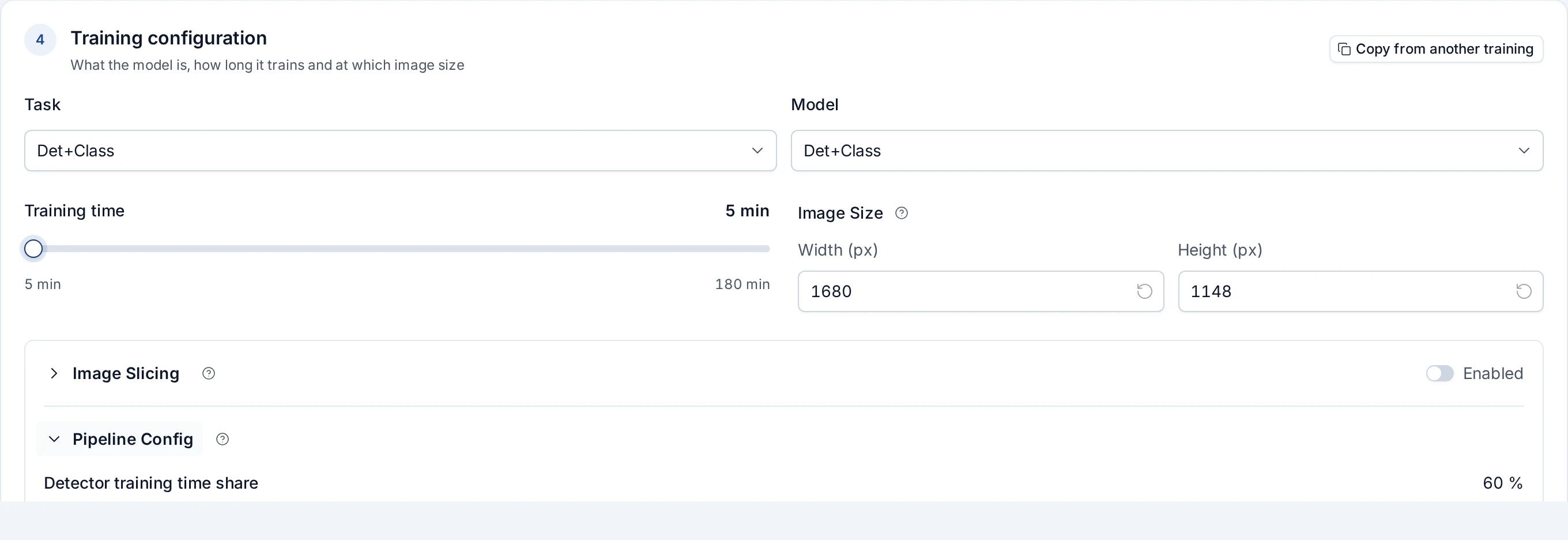
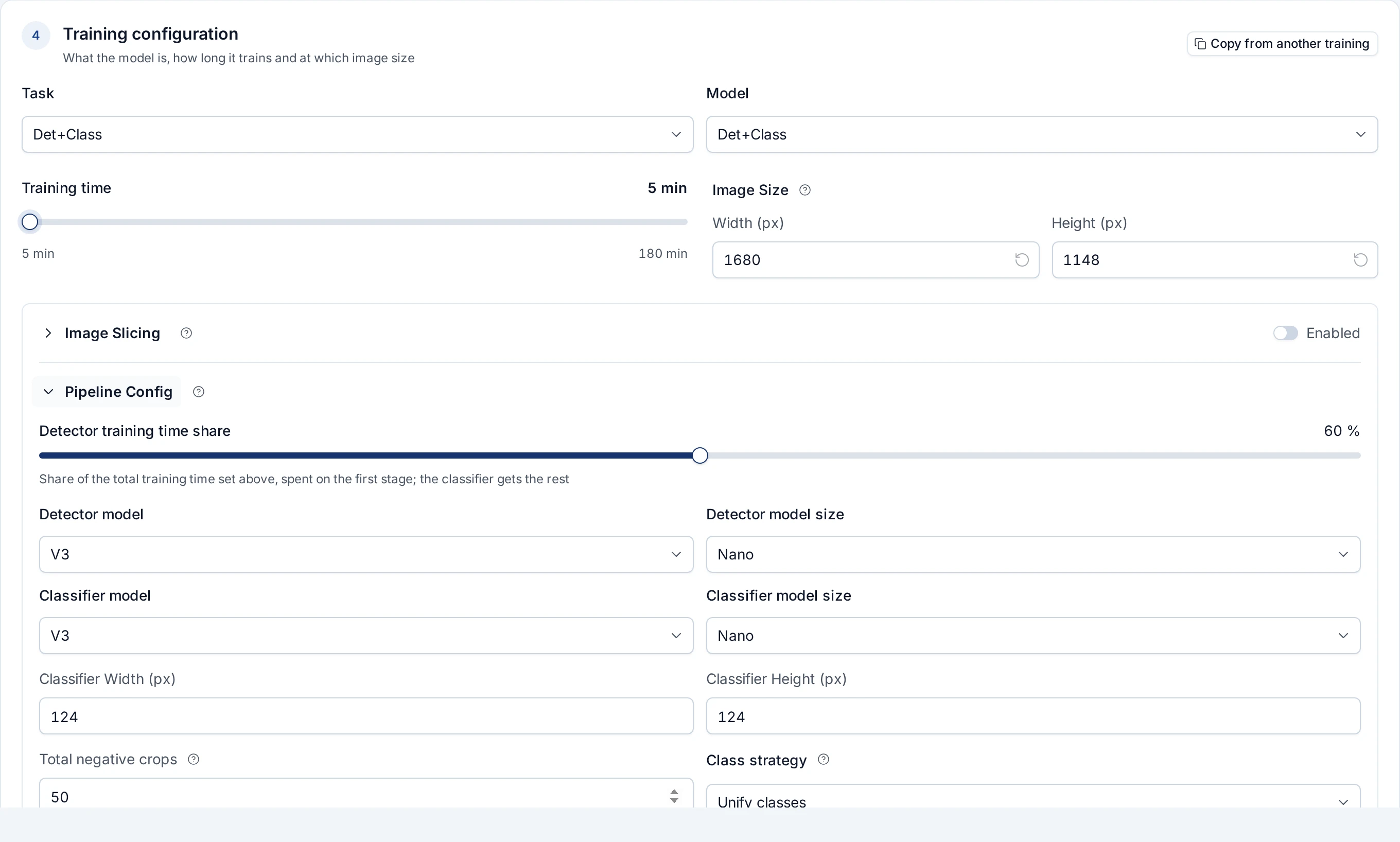
5. Read the pipeline settings
«Pipeline Config» describes the two stages:
- «Detector model» and its size: the model that finds the objects.
- «Classifier model» and its size: the model that looks at each object found.
- «Classifier Width» and «Classifier Height»: the size each crop is resized to before it is classified.
- «Total negative crops»: crops of background added to the classifier's training, so that it learns to reject what is not an object. 0 turns them off.
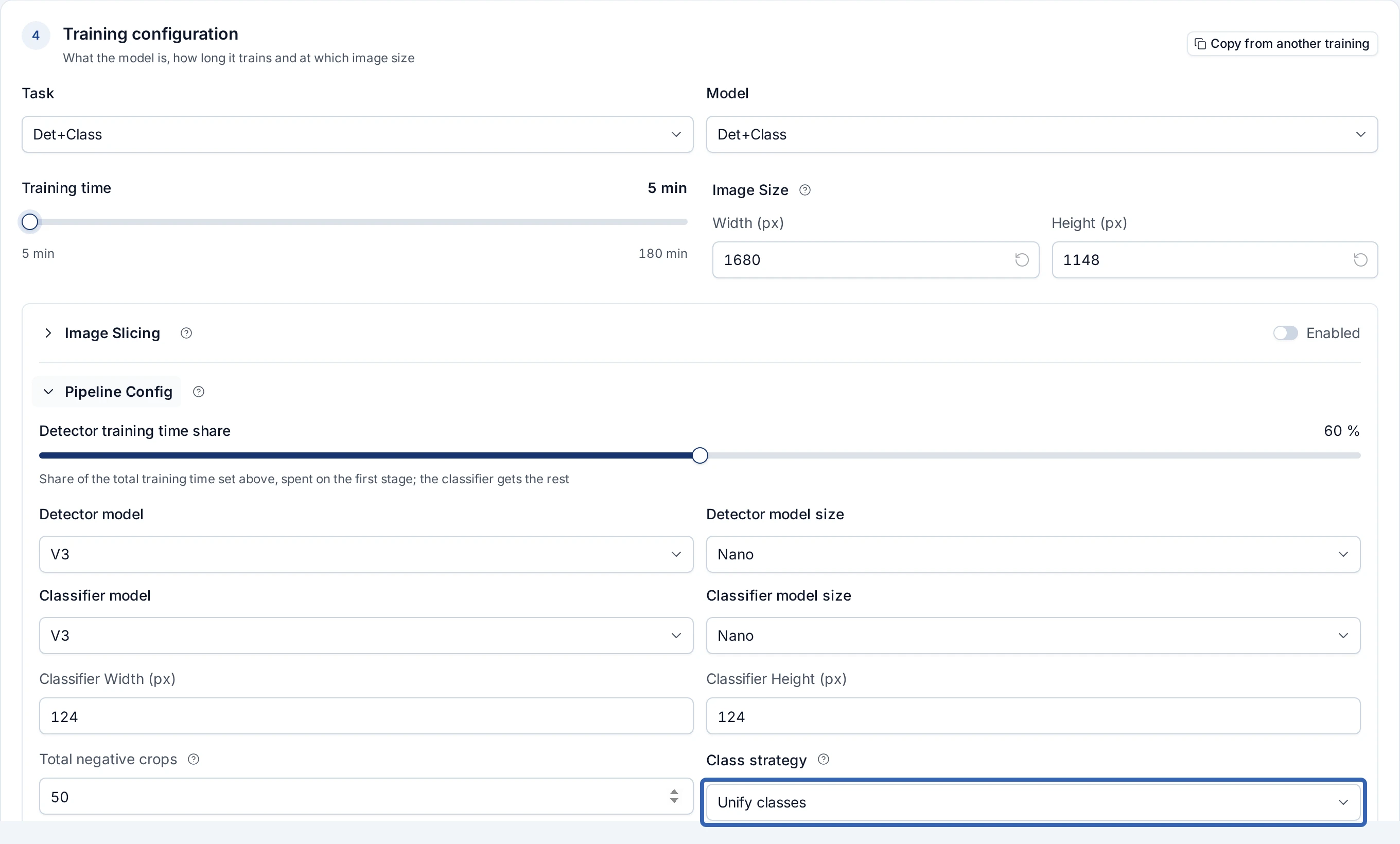
6. Choose what each stage learns
«Class strategy» splits the work between the stages:
- «Unify classes»: the detector learns all the tags as one kind of object, and the classifier gives each one its tag. Use it when the objects look alike and only a close look tells them apart, as a good jar and a broken one.
- «Keep original classes»: the detector keeps the tags, and the classifier only checks the ones switched on in «Classifier classes».
«Classifier classes» lists the tags the classifier learns; switch one off to leave it to the detector.
7. Check the summary
The card on the right sums the training up: images, tags, task, image size, time, the machine it needs and its price in tokens. «Ready to train» means every requirement is met.
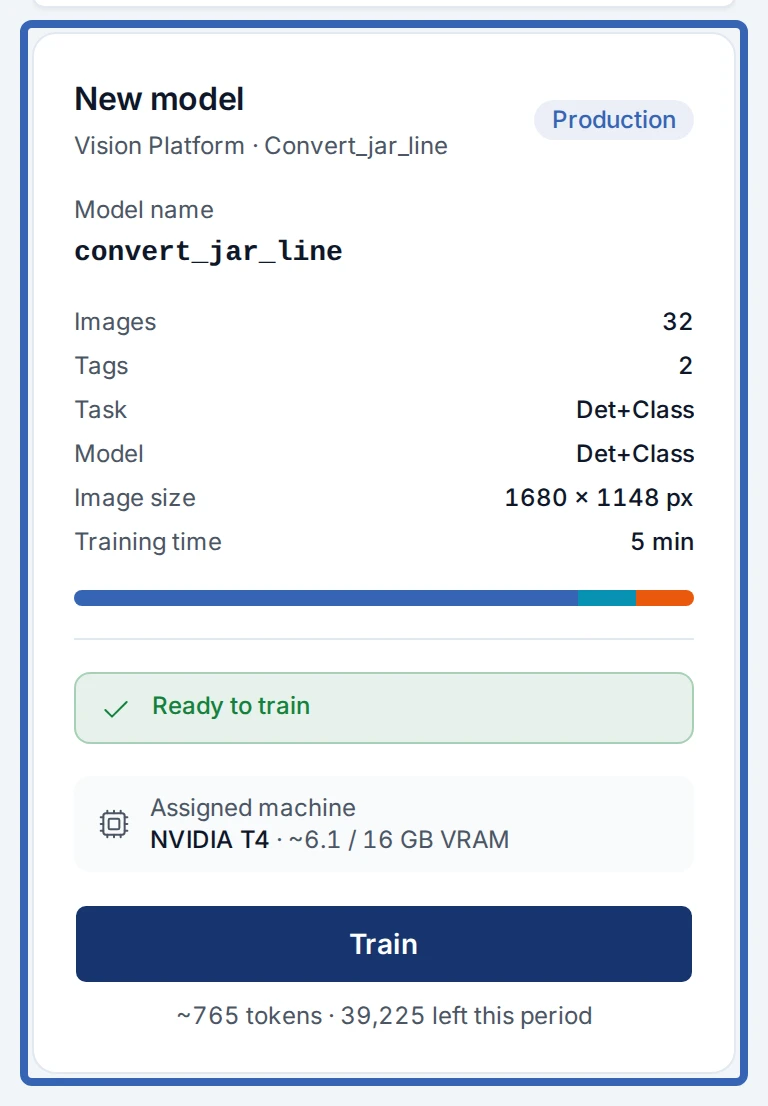
8. Train it
Click «Train». «Training notification» offers to email you, or others, when the training ends: type an address, add more with «Add another email», or leave it empty to continue without notifications. «Back» returns to the setup.
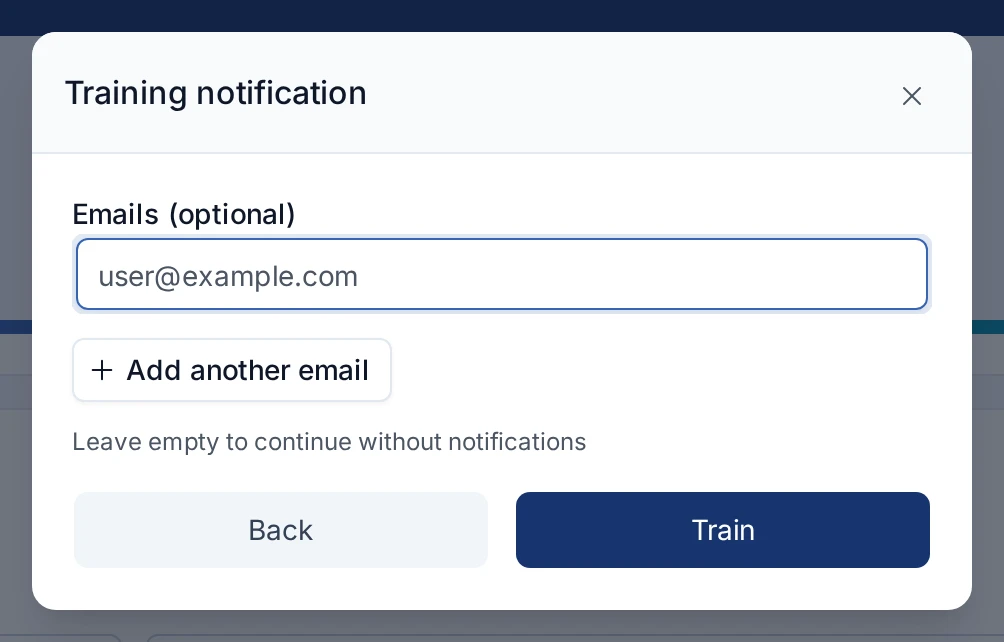
9. Start it
Click «Train» in the dialog to launch the training. The page first says «Preparing environment»: keep the window open until it changes, as the page asks. Then the training waits for a machine and starts, and you can leave the page: its card in the list of models shows its state and the minutes used. The video goes on with a model trained earlier with these same settings. Follow a training and understand how it ended explains what you see meanwhile.
10. Open the results
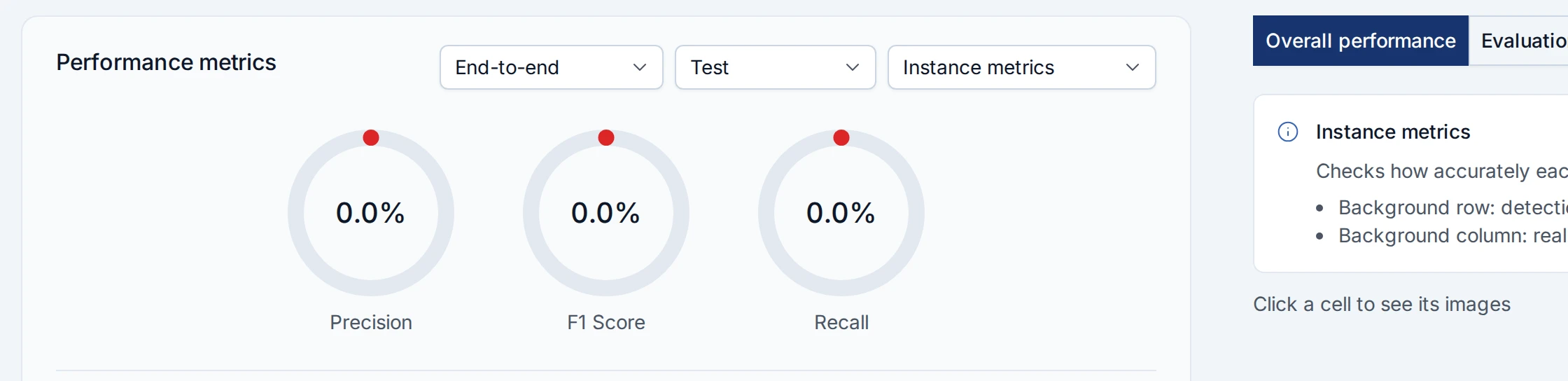
When the card says «Finished», click it to see the results of the model. They open on «End-to-end»: the two stages together, measured the way the model will run on the line.
11. See each stage
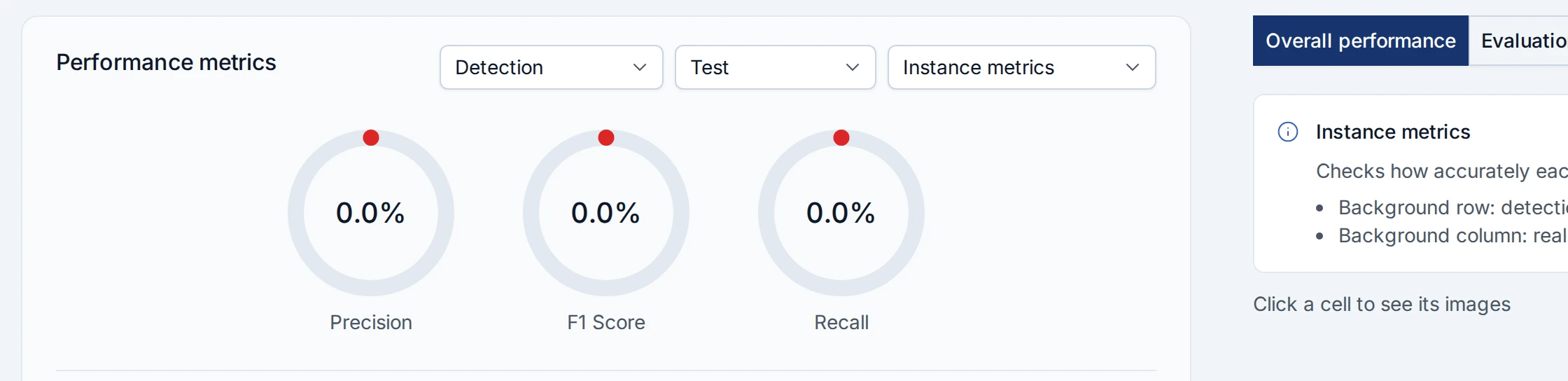
A two-stage model has one selector more, next to «Subset»: «End-to-end» measures the whole pipeline, «Detection» only the first stage and «Classification» only the second, on the crops of the real objects. When the end-to-end result is poor, the stages say which one to improve. Here the detector, which learns every jar as one class called «to_classify», found none of the test jars: with 26 training images and the shortest training it is not ready, so the pipeline scores nothing whatever the classifier does. It needs more images and more training time.
When a two-stage model helps
- The detector finds the objects well but confuses their classes.
- The difference between classes is small compared with the image: a crack on a jar, a stain on a label.
- The objects are many and alike, and only their state differs.
For a few large objects that look different, a single detection model is simpler and faster.
Next steps
Recorded on Rosepetal release 1.8.15.